From Singletons to Services in Godot: Clean Architecture for The Runic Edda
Discover how I refactored The Runic Edda from singleton-heavy code to a clean Service Layer in Godot. Learn the pattern, benefits, and real examples.

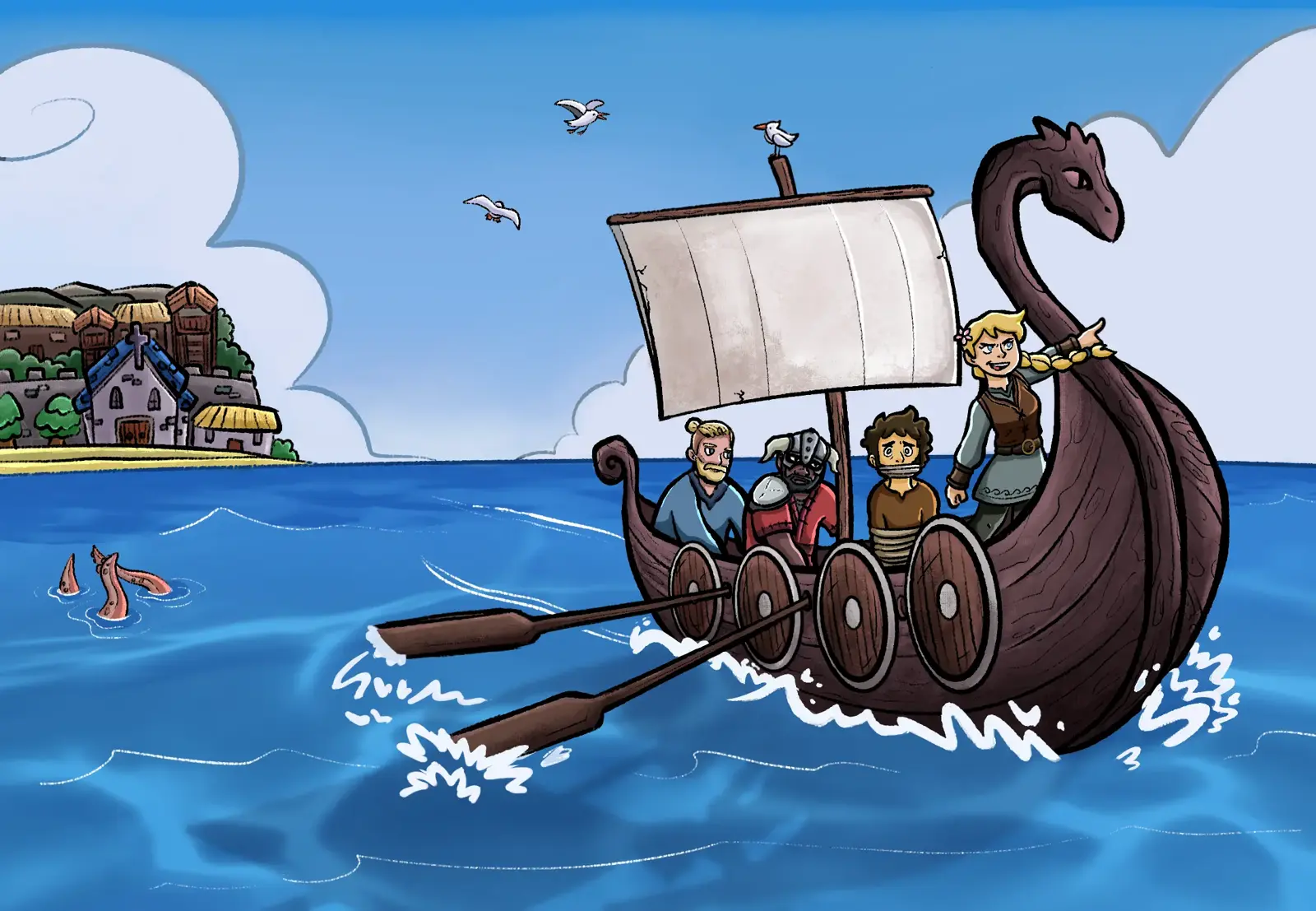
When I began building The Runic Edda, my RPG set in the Viking age, my Godot codebase looked exactly like most early-stage indie projects: a forest of singletons.
I had an autoload for:
- SFX and music
- dialog system
- player data (for locking movement, animations)
- party management
- quest progression
- battle flow
- saving/loading
- cutscenes
- inventory
It worked fine at first. But as the game grew, and new systems, new UI flows, new interactions, new battle mechanics came, making a small change in AudioManager or PlayerManager triggered errors in unexpected parts of the game.
That’s why I moved from “autoload everything” to a Service Architecture in Godot. In this article, I’ll share how I did it, the benefits I’ve seen, and some code examples from The Runic Edda.
Why I broke up with the Singleton Strategy
In the early prototypes of The Runic Edda I had some of these beauties almost everywhere:
AudioManager.play_sfx("treasure_open")
DialogManager.show_dialog("Eytran", ch1_eytran_house_1)
SceneManager.change_to("battle_arena")
It was fast to build features, but slow to modify them.
I realized that:
-
Changes became dangerous. A small change in one singleton could break things in unexpected places. For example, changing how the
AudioManagerhandled sound channels caused bugs in cutscenes that relied on specific audio cues. -
Systems were tightly coupled. The
PlayerManagerdirectly accessed theInventoryManager, making it hard to test or modify one without affecting the other. The battle system depended on the save system for auto-saving mid-battle or the menu depended on the inventory manager to display the items.
The Turning Point: Creating One Service Layer
Inspired by patterns used in modern Unity architectures and also because Nicolas Petton, the creator of Dreamed Away, suggested to me, I replaced all scattered singletons with one global entry point:
Services.gd
Inside it, all systems became services, that is, plain classes, not autoloads:
extends Node

var audio: AudioService
var dialog: DialogService
var save: SaveService
var battle: BattleService
var party: PartyService
var inventory: InventoryService
var quest: QuestService

func _ready():
    audio = AudioService.new()
    dialog = DialogService.new()
    save = SaveService.new()
    battle = BattleService.new()
    party = PartyService.new()
    inventory = InventoryService.new()
    quest = QuestService.new()
Anywhere in the game:
Services.audio.play_sfx("treasure_open")
Services.dialog.show_dialog("Eytran", ch1_eytran_house_1)
Services.scene.change_to("battle_arena")
We have the same simplicity, but zero coupling, infinite flexibility and without permanent node in the autoload list.
Let’s compare how this looks in practice.
Dialog System With Branching Choices
Old:
DialogManager.start(dialogue_resource)
AudioManager.play_voice(...)
Now becomes:
Services.dialog.start(dialogue_resource)
Services.audio.play_voice(...)
Now, dialog no longer depends on audio. The game remains loosely coupled but deeply organized.
Quest Progression and saving
Old:
QuestManager.complete_quest(quest_id)
SaveManager.auto_save()
Now becomes:
Services.quest.complete_quest(quest_id)
Services.save.auto_save()
This allowed me to:
- add autosave triggers after key story beats
- support save slots
- add debug commands for testing quests
- easily add a “return to last checkpoint” system
Without touching the quest logic.
A More Godot-Native Approach: Services as Nodes Inside the Game Scene
As The Runic Edda kept growing, I realized I wanted something else too: visual clarity inside the editor.
Plain classes are great, but Godot’s strength is its scene tree. I wanted to see my game systems the same way I see my gameplay nodes.
So I settled on a hybrid architecture that feels extremely natural in Godot:
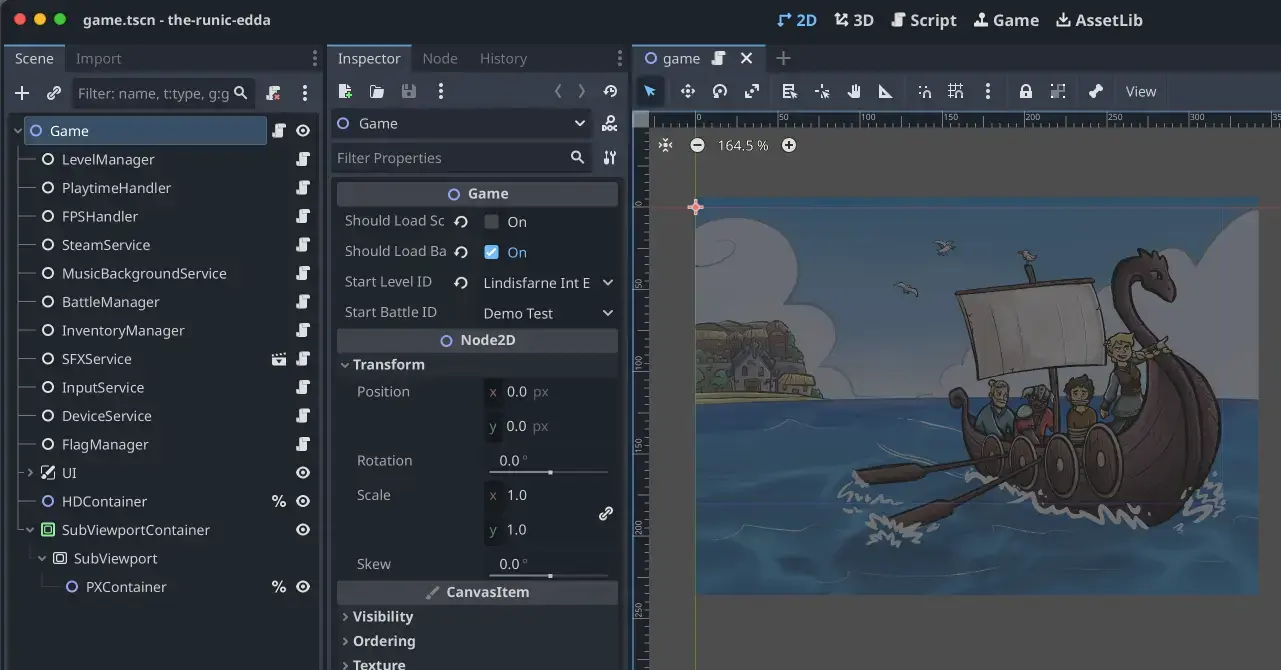
Each service is now a proper node with a script. I can select it, inspect it, connect signals, and visually understand the project’s structure.
Still, instead of autoloading every service node, I autoloaded a single file:
# Services.gd (autoload)
extends Node

var game

func _ready():
    game = get_tree().root.get_node("Game")
And now I can access everything like this:
Services.game.audio.play_sfx("treasure_open")
Services.game.dialog.show_dialog("Eytran", ch1_eytran_house_1)
Services.game.scene.change_to("battle_arena")
Why I love this approach for The Runic Edda
- I get one global access point (Services).
- I keep all services neatly organized inside my Game.tscn.
- Each system has a node life cycle (_ready, _process, signals, children).
- I see everything visually, which makes debugging and iteration faster.
- Testing is easier because each service is isolated inside its own node.
Conclusion
Refactoring The Runic Edda to use a centralized Service Layer changed how I build games in Godot forever. I gained:
- clarity
- maintainability
- testability
- scalability
- peace of mind
If your Godot project is growing or if you’re starting a new one: this architecture will save you countless hours.
FAQ about Switching From Singletons to Services in Godot
The Service Pattern in Godot is an architectural approach where instead of using multiple autoload singletons, you centralize your game systems into a single Services entry point. Each system is a plain class instance managed by this service layer, promoting loose coupling and easier maintenance.
Share article